Book a court
Pick free hours on a court's schedule and send a request. The court manager confirms it.
- 1.
On a phone, tap +, then Request a court. On a computer, open Courts. Only some courts take requests.
- 2.
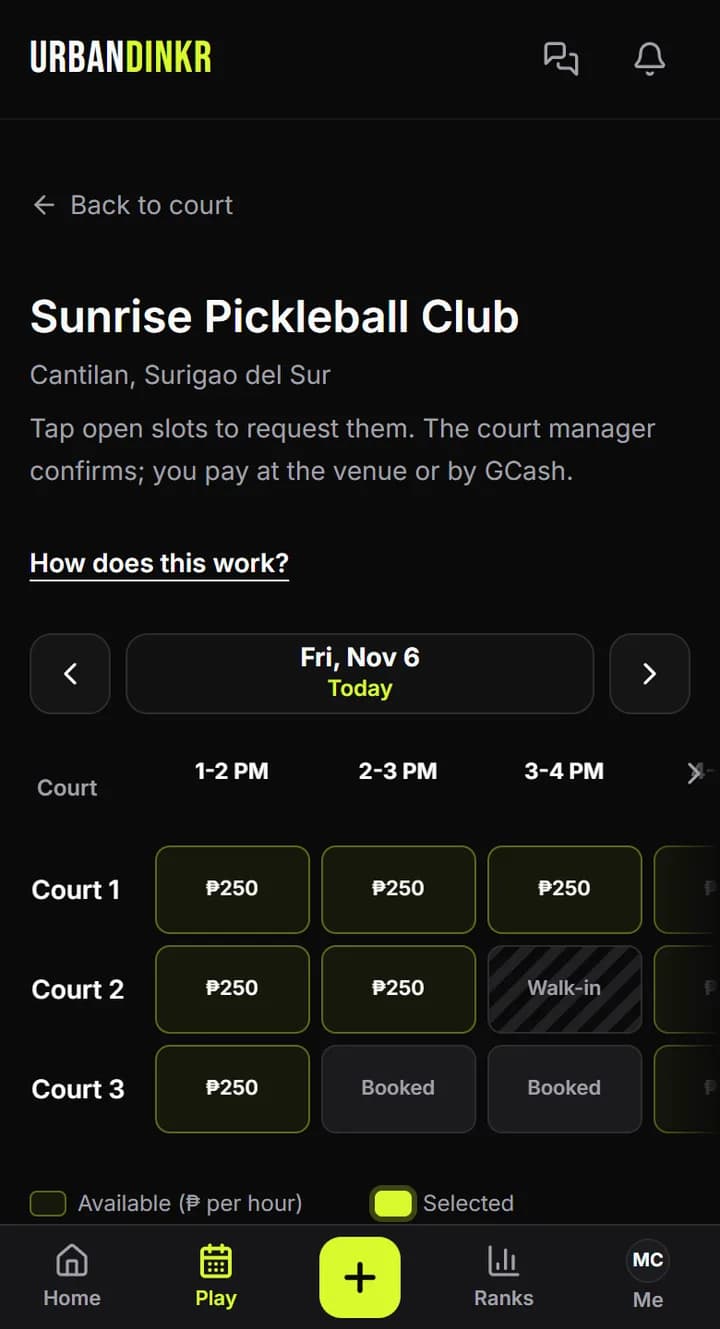
Open a court and go to its schedule. Pick the day.
- 3.
Tap the Available slots you want. Each slot is one hour.
- 4.
Tap Request. You can add a note for the manager first.
- 5.
Wait for the manager. You get a notification when they approve or decline.
- 6.
If it's approved, your request shows How to pay. Pay at the venue or by GCash.
Paying
No online payments. Pay at the venue or GCash the court manager directly. The price per hour shows on the schedule, or "Ask the manager" if none is set.
Limits
Up to 8 slots in one request and 5 requests waiting at a time. You can request up to 30 days ahead.
See or cancel your requests
They're on My court requests, and on your Me page. Tap Cancel request to give the slots back. A request nobody answered expires when its first slot starts.
A court with no schedule
Not every court takes requests. If you see No hourly schedule here yet, contact the venue yourself.
Still stuck? Contact us