Delete your account
Delete it yourself, anytime, even without the app. It can't be undone.
- 1.
Open Me and tap Delete account. Or go to the Delete your account page in any browser.
- 2.
Sign in with Google if you're asked. For your safety we may ask you to sign in again.
- 3.
Type your handle to confirm.
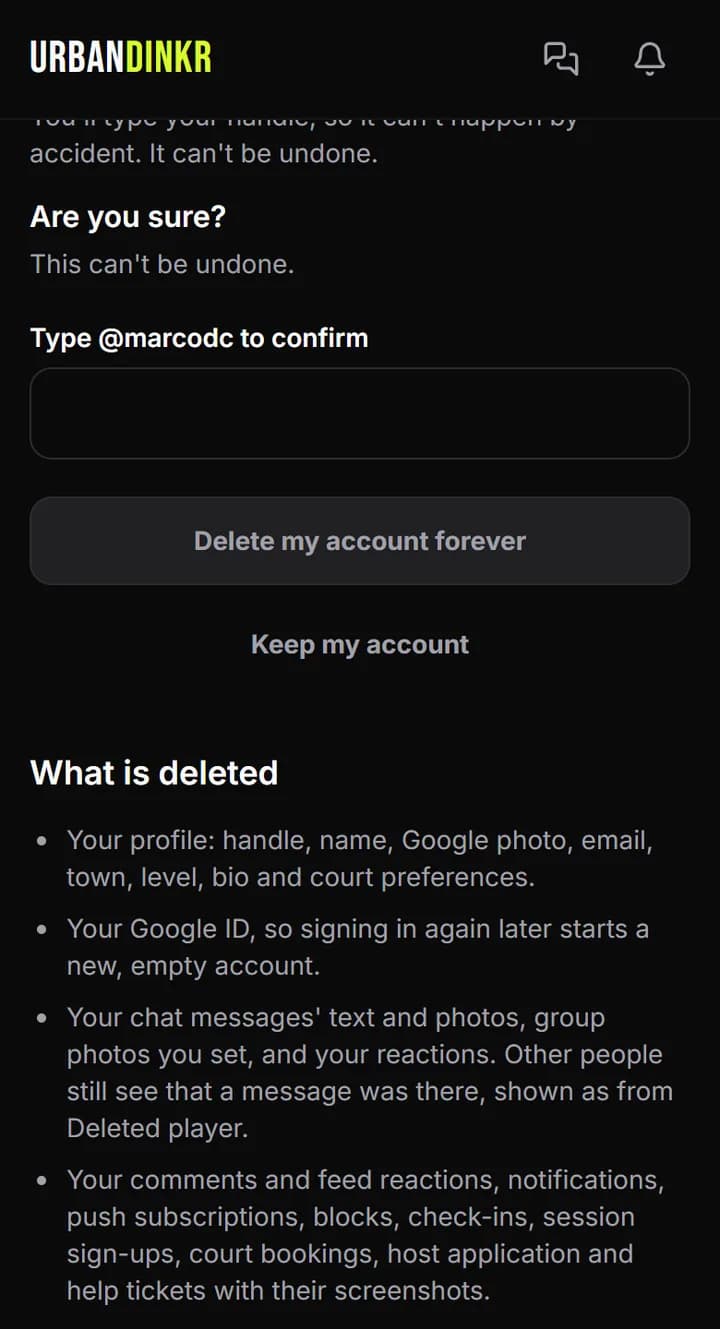
- 4.
Tap Delete my account forever. It ends right away and can't be undone.
What stays
Confirmed matches stay, shown as Deleted player, because other players' ratings depend on them. Everything else about what's deleted and kept is on the Delete your account page.
Can't sign in?
Use the contact form with your sign-in email, and we'll do it for you. The same goes if your account is suspended.
Still stuck? Contact us