Sign in and set up your profile
Sign in with Google, then tell us your handle, level and town.
- 1.
Tap Sign in, then Continue with Google. Google is the only way to sign in.
- 2.
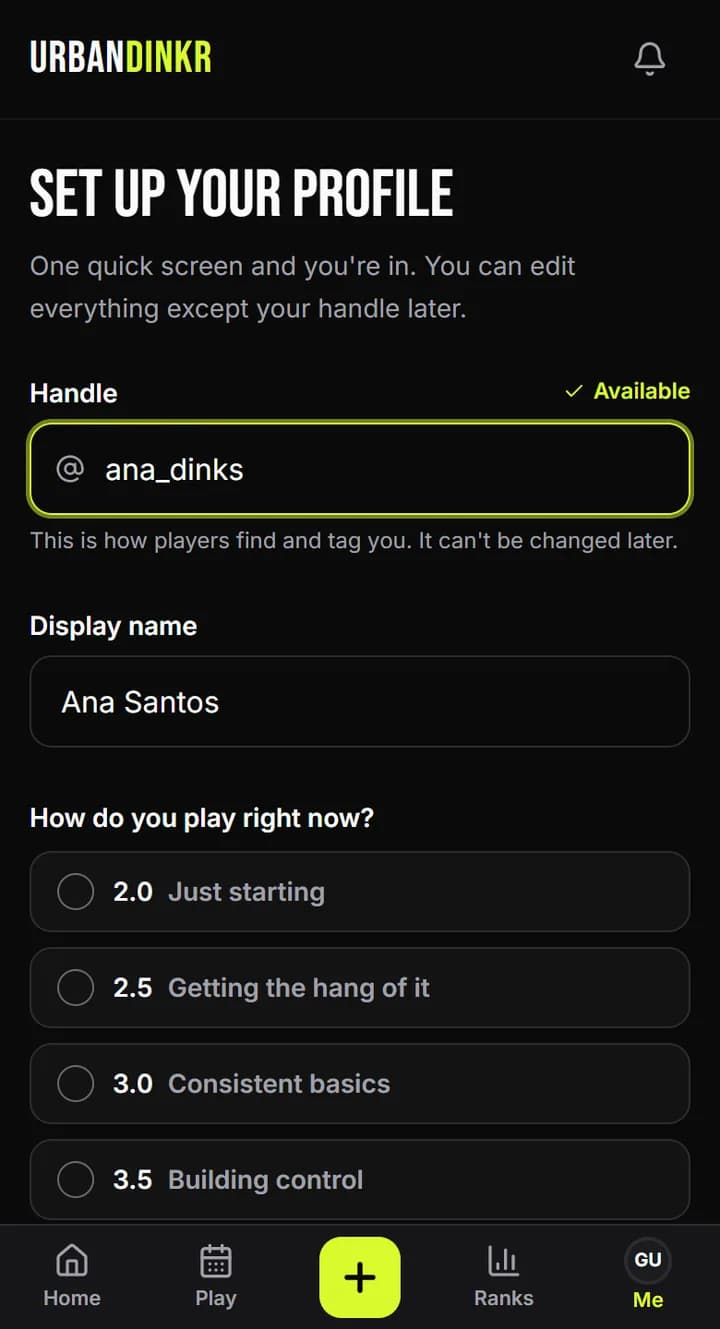
Pick a Handle. This is how players find and tag you. You can't change it later.
- 3.
Check your Display name.
- 4.
Under How do you play right now?, pick the level that sounds most like you. When in doubt, round down. Your rating adjusts as you log matches.
- 5.
Under Where do you usually play?, pick your town. We use it to show games and players near you.
- 6.
Leave Show me to players near my level on, or turn it off. You can change this anytime.
- 7.
Tick the box to say you're 18 or over and agree to the Terms and Privacy Policy, then tap Create profile.
Changing your profile later
Open Me and tap Edit profile. There you can change your display name, town, bio, how you play and your privacy settings. Your handle stays the same.
Who can join
URBANDINKR is for adults, so you must be 18 or over. We don't ask for your birth date.
Still stuck? Contact us